A comparison tool helps you choose which free chatbot suits your needs
Juan José de Haro created a web app where you rate the importance of each feature and get a personalised ranking of free chatbots.
Choosing an AI assistant from the many free chatbots available is not easy, still less when every teacher needs different things: some want to generate images, others to upload documents or use a reasoning mode. The interactive comparison of free chatbots, created by Juan José de Haro, starts from that idea: there is no best chatbot in the abstract, only the one that fits what each person values.
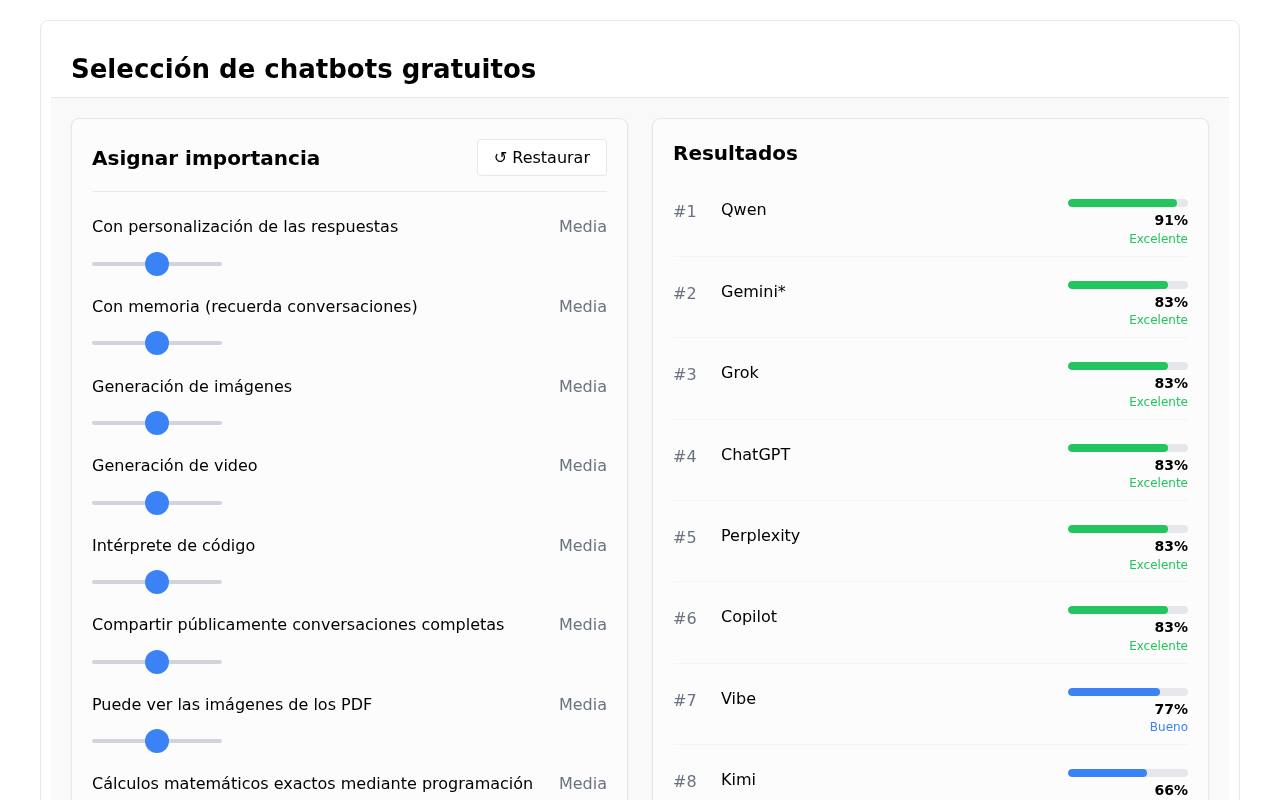
The page is split into two columns. On the left, “Asignar importancia” (assign importance) lists the features, each with a slider that is set to “Media” (medium) by default, except for minimum age of use, which starts at “Indiferente” (indifferent): personalisation of responses, memory between conversations, image and video generation, code interpreter, sharing whole conversations, reading the images in PDFs, exact calculations through programming, reasoning mode, deep search, private chat, creating agents, editable canvas, presentations, connection to other services, command-line version, guided learning and minimum age of use. On the right, “Resultados” (results) ranks the chatbots with a percentage and a label (“Excelente”, “Bueno”, “Correcto”, “Regular”). When it opens, with the default values, Qwen leads (91%), followed, on 83%, by Gemini, Grok, ChatGPT, Perplexity and Copilot; the thirteen chatbots compared also include Kimi, Claude, DeepSeek and Meta AI.
In the classroom it has two clear uses. One is practical: before recommending a tool to students or colleagues, you adjust the sliders to your real needs (for example, giving less weight to video generation and more to private chat or minimum age) and see how the ranking changes. The other is educational: it works in teacher training courses to discuss what sets one assistant apart from another and why a ranking depends on the criteria chosen. The page itself warns that the rating is subjective and may vary according to each user's needs. It does not give the date of the data, so it is worth checking each service's features before deciding, because they change often.
It opens in the browser, with no account or installation. According to the entry, it is in Spanish, was created with Claude and is published under a Creative Commons BY-SA licence. Its author presented it in ChatGPT-IA-edu together with an article, “¿Qué IA me conviene? Comparativa de chatbots” (in Spanish), which explains the comparison.