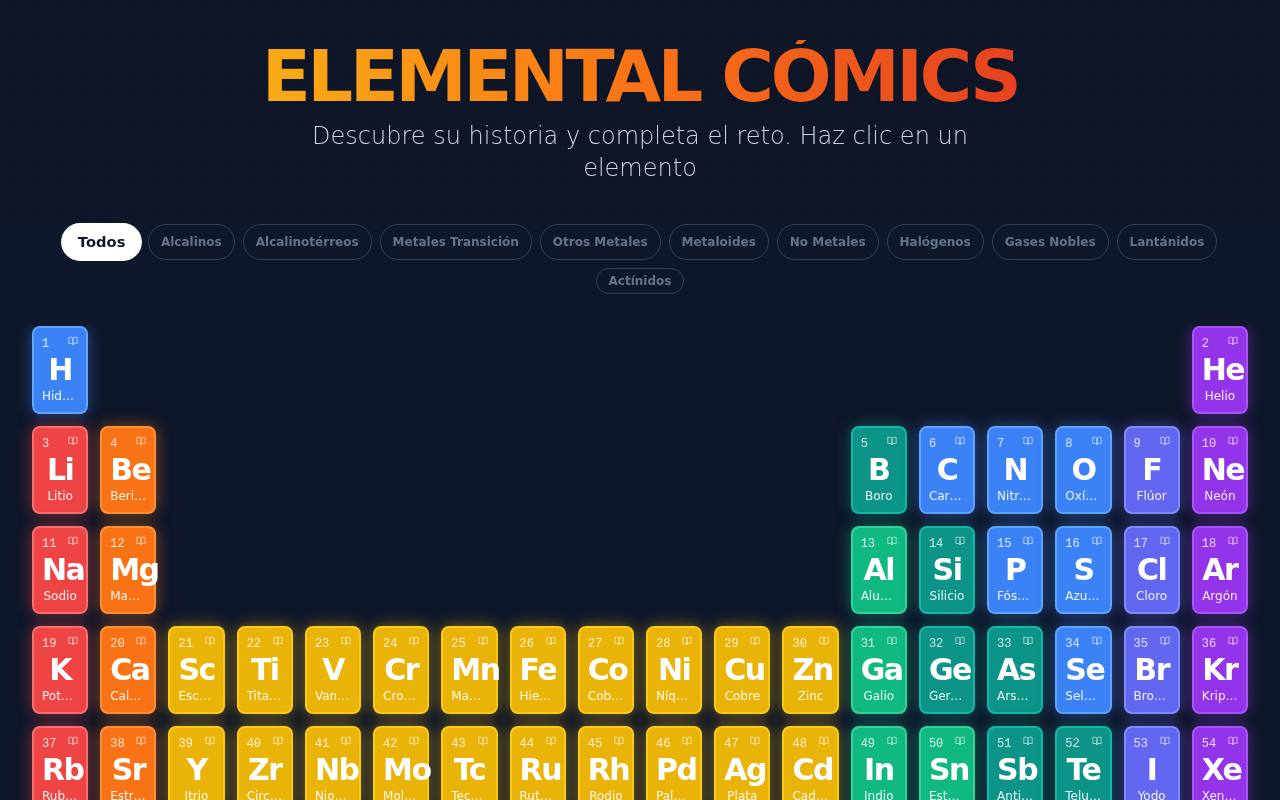
Elemental Cómics presents the periodic table with a comic for each element, according to its author
An interactive periodic table that, according to its author, opens each element as a comic followed by comprehension activities. It was created by Ernest Boixader and is shared under an open licence.
Elemental Cómics is a periodic table you explore with the mouse. When it opens, all 118 elements appear, each in a box with its atomic number, symbol and name. A row of buttons filters them by family: alkali metals, alkaline earth metals, transition metals, metalloids, halogens, noble gases, lanthanides and actinides, among others. A colour code tells the groups apart at a glance.
According to the entry, clicking an element lets you read a comic about it and then do comprehension activities at different levels of difficulty. Its author, in the message he shared it with in Vibe Coding Educativo, describes them as DOK-type activities, referring to the depth-of-knowledge levels. That part, the comics and the challenges, does not appear in the screenshot of the home page: what can be seen is the table and its filter, and the rest is reported according to its author.
For physics and chemistry teachers, it works as a way into the periodic table: students choose an element, read it in comic-strip form and check what they have learned with the challenge. It can be used as a classroom activity, for reinforcement or for independent work. The entry places it from primary school through to university and vocational training, in the areas of Science and Technology and of Language and Communication, and it is in Spanish.
It is used directly in the browser, with nothing to download. The page itself states that all the comics were created with the artificial intelligence tool Gemini Notebook (formerly NotebookLM), and its author says the app was built with that tool and with Google AI Studio. It was created by Ernest Boixader (Eboixader in the entry), with the CSI Flors seal, and is published under the Creative Commons Attribution-NonCommercial-ShareAlike 4.0 licence: it can be reused and adapted as long as the author is credited, for non-commercial purposes and under the same licence.