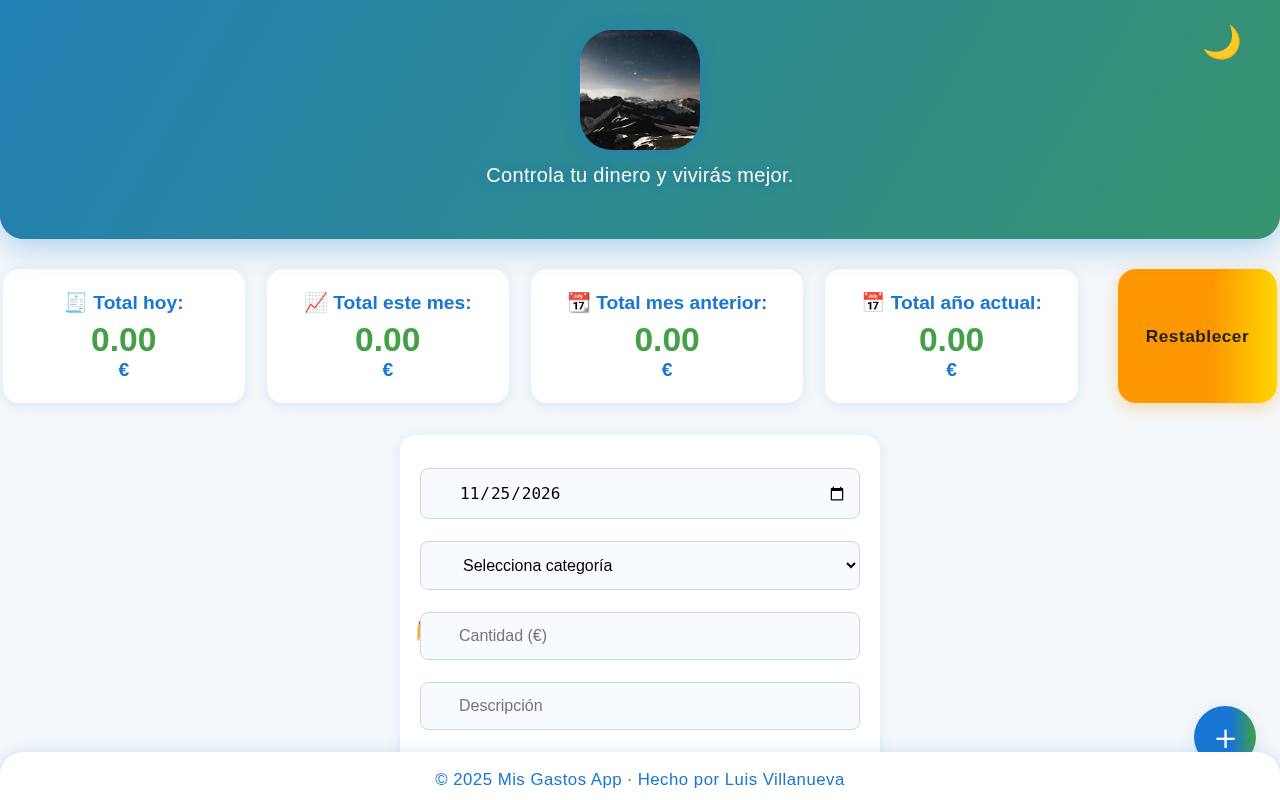
Mis Gastos logs spending by category and charts it; it is used in History
Luis Villanueva Aizcorbe created “Mis Gastos”, a Spanish-language web app for logging expenses by category and viewing daily, monthly and yearly totals. According to its author, he uses it in his History classes.
“Gestor personal de gastos mensuales” (personal monthly expenses manager) is a web app created by Luis Villanueva Aizcorbe with Claude. It opens in the browser, with nothing to install, and appears on screen with the title “Mis Gastos” (my expenses) and the motto “Controla tu dinero y vivirás mejor” (control your money and you will live better). At the top it shows four totals in euros: the current day's, this month's, last month's and the current year's.
To log an expense, you choose the date, a category, the amount and a description, and press “Añadir” (add). The list of categories is that of a real household budget: food, mortgage, insurance, electricity, telephone, petrol, leisure, school costs, children's pocket money, medicines and others. Below are a summary of spending by category for the current month, a history of total spending by month and two charts: total spending by month and spending by category for the current month. The page also has a button with a moon and another, “Restablecer” (reset). The interface is in Spanish only.
The use its author makes of it is the most helpful part for other teachers. According to his presentation in Vibe Coding Educativo, he uses it with his History students so that each one asks at home how much a family spends and logs it, and then compares that reality with the Wall Street crash of 1929 and with an English family during the Industrial Revolution. He explains that he does not look at anyone's data, so as not to see private information. He also thinks it could be useful in Economics or Entrepreneurship, and says that some students like it and use it for their own records.
The repository entry places it in Bachillerato (the final two years of secondary school, ages 16 to 18), vocational training, university and adult education, and links it with logical-mathematical thinking and the social and civic sciences. The page does not say where the data is stored, whether an account is needed or whether the data is used for other purposes, so it is best to try it out with the group first and not ask for real family data unless you are sure. It is published under a Creative Commons BY-SA licence.