A block-based programming editor, built on TurboWarp and compatible with Scratch, for learning to code
EduTicTac Blocs is a visual programming environment compatible with Scratch projects and with classroom templates; according to its website, it has no advertising or trackers.
EduTicTac Blocs is a free, open block-based visual programming environment designed for education. According to its own page, it is compatible with Scratch .sb3 projects, is based on TurboWarp and carries no advertising or trackers. It also makes clear that it is not affiliated with Scratch, its team, the Scratch Foundation or TurboWarp. The listing places it in Primary, Secondary and Teacher Training, in the areas of Science and Technology and Logical-Mathematical Thinking, with an interface in Catalan and English.
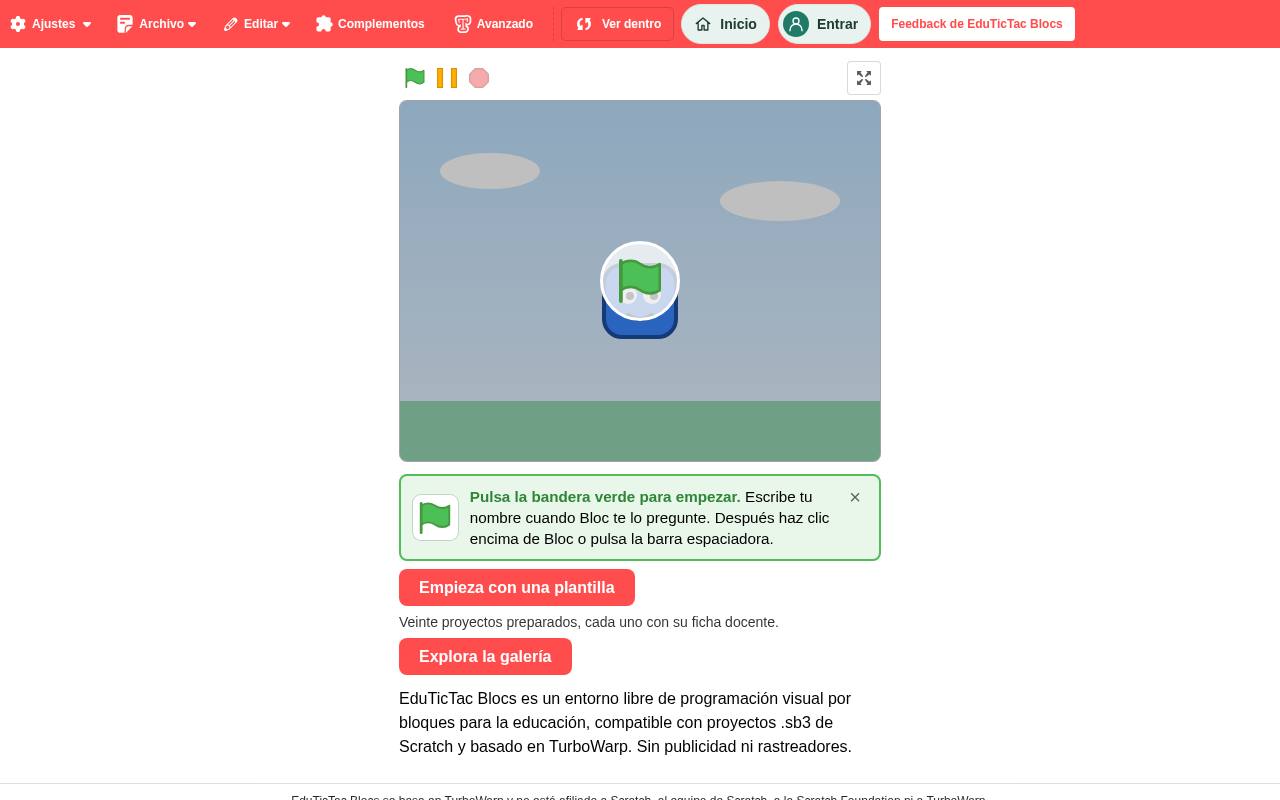
When you open the website, an example project ready to run appears without asking for an account, with a “Ver dentro” button to switch to the block editor: at the top, the Ajustes, Archivo, Editar, Complementos and Avanzado menus, and the “Inicio” and “Entrar” buttons; in the centre, the stage with green flag, pause and stop controls. A notice invites users to click the green flag, type their name when the character Bloc asks for it and then click on it. Below, the “Empieza con una plantilla” button announces twenty ready-made projects, each with its own teaching sheet, and “Explora la galería” gives access to more examples.
For teachers, the appeal is that it allows them to introduce computational thinking with Scratch’s block logic and bring ready-made projects into class as a starting point. According to the listing, students can create projects with blocks, costumes, drawings and extensions, and there is an artificial intelligence assistant to generate them, though what its use requires is not detailed.
The listing also notes that it can be self-hosted using Docker, so a school or its IT coordinator can deploy it on their own server. The resource is listed as created by Samuel Soriano and its source code is published under the GPL v3 licence, with links in the footer to the privacy information and to the TurboWarp credits.
A block-based programming editor, built on TurboWarp and compatible with Scratch, for learning to code
EduTicTac Blocs is a visual programming environment compatible with Scratch projects and with classroom templates; according to its website, it has no advertising or trackers.
EduTicTac Blocs is a free, open block-based visual programming environment designed for education. According to its own page, it is compatible with Scratch .sb3 projects, is based on TurboWarp and carries no advertising or trackers. It also makes clear that it is not affiliated with Scratch, its team, the Scratch Foundation or TurboWarp. The listing places it in Primary, Secondary and Teacher Training, in the areas of Science and Technology and Logical-Mathematical Thinking, with an interface in Catalan and English.
When you open the website, an example project ready to run appears without asking for an account, with a “Ver dentro” button to switch to the block editor: at the top, the Ajustes, Archivo, Editar, Complementos and Avanzado menus, and the “Inicio” and “Entrar” buttons; in the centre, the stage with green flag, pause and stop controls. A notice invites users to click the green flag, type their name when the character Bloc asks for it and then click on it. Below, the “Empieza con una plantilla” button announces twenty ready-made projects, each with its own teaching sheet, and “Explora la galería” gives access to more examples.
For teachers, the appeal is that it allows them to introduce computational thinking with Scratch’s block logic and bring ready-made projects into class as a starting point. According to the listing, students can create projects with blocks, costumes, drawings and extensions, and there is an artificial intelligence assistant to generate them, though what its use requires is not detailed.
The listing also notes that it can be self-hosted using Docker, so a school or its IT coordinator can deploy it on their own server. The resource is listed as created by Samuel Soriano and its source code is published under the GPL v3 licence, with links in the footer to the privacy information and to the TurboWarp credits.